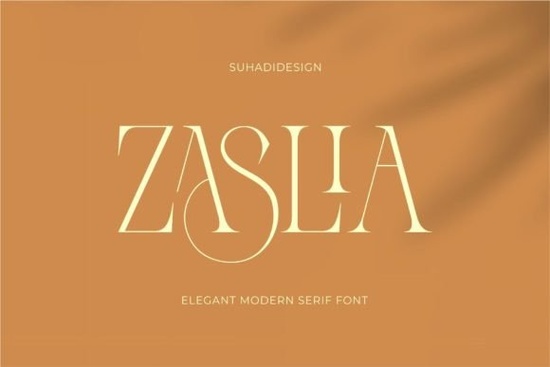
If you're looking for a serif font that feels both refined and approachable something that works as well on a boutique business card as it does in a lifestyle magazine layout you’ll likely appreciate Zaslia Font. It’s not overly ornate, but it carries quiet confidence: clean serifs, subtle ligatures, and balanced letterforms that give text presence without shouting. Designed with real-world use in mind, Zaslia fits naturally into branding projects, social media graphics, book interiors, and even small-batch print-on-demand products like greeting cards or wall art.
What makes Zaslia different from other elegant serif fonts?
Unlike some high-contrast serifs that can feel stiff or dated, Zaslia balances tradition with modern readability. Its ligatures like the connected “fi”, “fl”, and “ff” combinations are tastefully designed, not distracting. You’ll notice gentle curves in letters like “a”, “e”, and “g”, and consistent stroke weight that keeps paragraphs smooth and easy to read at smaller sizes. That’s why it’s become a go-to for designers who need elegance and function especially when working across formats (digital screens, printed brochures, embroidery mockups).
It’s also versatile enough to pair well with simpler sans-serifs for contrast, or stand alone in minimalist layouts. Think of it as the kind of typeface you’d choose for a local apothecary’s label, a slow-living blog header, or a soft-toned wedding invitation suite where tone matters as much as legibility.
Where does Zaslia work best?
Based on how designers and small creative businesses actually use it, Zaslia shines in these contexts:
- Branding & identity: Logo lockups, monograms, and brand guidelines where sophistication is part of the message especially in beauty, wellness, or artisanal niches.
- Print-on-demand products: Tote bags, mugs, and framed quotes benefit from its graceful rhythm and clear letter shapes even at medium sizes.
- Social media visuals: Instagram quote posts, Pinterest pins, and Reels text overlays look polished without needing heavy styling.
- Publishing & editorial design: Chapter headings, pull quotes, and mastheads in indie magazines or self-published zines.
It’s not built for ultra-narrow headlines or dense body copy at 9pt but that’s okay. Knowing its sweet spot helps you use it intentionally, not just because it’s pretty.
How does Zaslia compare to similar fonts on Creative Fabrica?
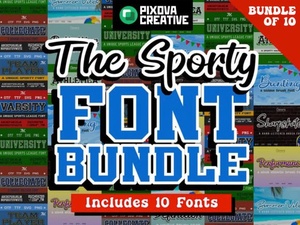
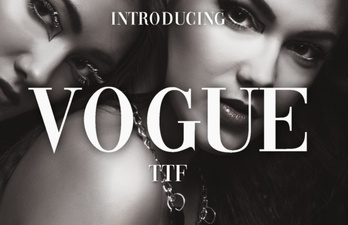
If you’ve browsed our serif collection, you might recognize stylistic cousins like Vogue Font, which leans more editorial and structured, or Fashionable Font, which adds a touch more flair in its terminals. Sport Bundle Font takes a bolder, athletic direction great for active brands, less so for delicate aesthetics. Zaslia sits comfortably between them: softer than Vogue, more grounded than Fashionable, and far more versatile than Sport Bundle for lifestyle-oriented projects.
You’ll also find ligature support baked in (no extra OpenType features needed), standard Western Latin characters, and clean file organization practical details that matter when you’re juggling client deadlines or prepping files for Printful or Gelato.
Real examples from creators using Zaslia
A small candle maker used Zaslia for her product labels and Instagram captions citing how it helped unify her visual voice across platforms. Another designer chose it for a set of printable meal planner pages, noting how the ligatures added subtle charm without compromising clarity. A POD seller reported better engagement on Etsy listings featuring Zaslia-based mockups, especially in the “self-care” and “slow living” categories.
None of these users needed advanced typography knowledge. They picked Zaslia because it looked right and worked right without requiring tweaks or workarounds.
Getting started with Zaslia
Once downloaded, install the OTF file on your system (Mac or Windows). In apps like Canva, Adobe Photoshop, or Affinity Designer, it appears as “Zaslia” in your font menu. For best results:
- Use medium or bold weights for headings (avoid light weights below 24pt)
- Stick to 14–18pt for body text in print; 16–20px online
- Enable ligatures in design software if available it’s optional, but enhances flow
- Pair with neutral sans-serifs like Montserrat or Inter for contrast
For reference, you can see how Zaslia Font is used across real projects on Creative Fabrica’s platform including layered PSD mockups and SVG cut files for crafters.
Before you download: Check that your project needs a serif with gentle elegance not dramatic contrast or vintage texture. If you’re drawn to fonts like Zaslia Font, you’re likely aiming for warmth, clarity, and quiet confidence. That’s where it delivers consistently, quietly, and without fuss.
Learn More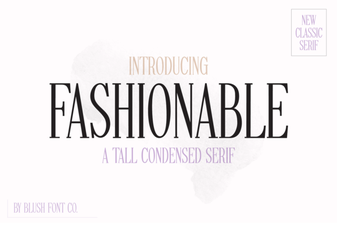 Font Styles for Creative Projects and Design Value
 Design Your Game with Sports Bundle Fonts
 Unlocking the Power of Vogue's Font Style
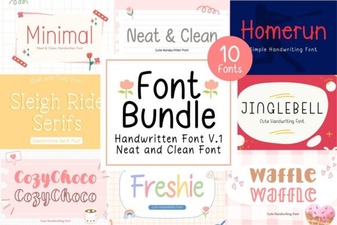 Neat Handwritten Font Bundle for Creative Projects
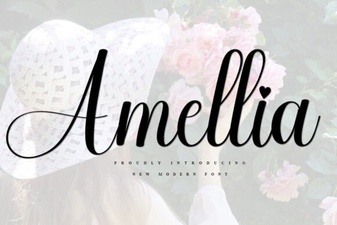 Amellia Font: Elegant & Modern Typography Styles
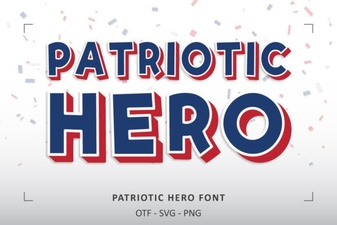 Patriotic Fonts for Historical Design Projects