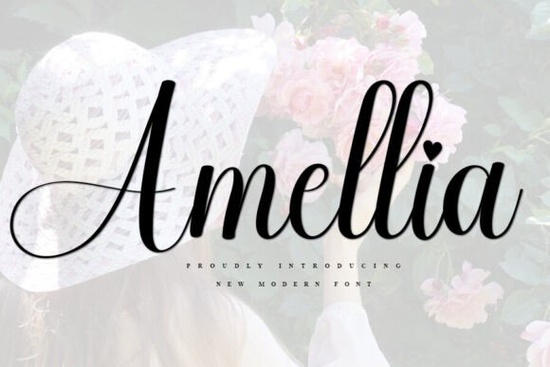
If you're looking for a clean, friendly script font that works just as well on a wedding invitation as it does on a small business flyer or YouTube banner, Amellia Font is worth your attention. It’s not overly ornate or hard to read instead, it balances light curves and open letterforms in a way that feels both modern and approachable. Designers and crafters who’ve used it often say it “just fits” whether they’re layering text over photos, printing on fabric, or building a cohesive brand identity for a local shop.
What kinds of projects does Amellia work best for?
Because Amellia has gentle contrast and consistent spacing, it holds up well across sizes and formats. You’ll see it used often in:
- Wedding stationery especially for names, dates, and short quotes
- YouTube channel art and thumbnails (where clarity at small sizes matters)
- Small-batch print-on-demand products like mugs, tote bags, and greeting cards
- Business branding elements: ID badges, simple logos, and social media profile headers
- Handmade craft labels think jam jars, candle tags, or embroidery hoop prints
It’s not designed for long paragraphs or dense body text, but where it shines is in moments that need personality without distraction.
How does Amellia compare to other popular script fonts?
Unlike some script fonts that lean heavily into calligraphic drama or tight letter connections, Amellia keeps things relaxed. Its lowercase ‘a’, ‘g’, and ‘y’ have subtle but distinct shapes enough to add character, not so much that they become hard to pair with sans-serif or serif companions. If you’ve tried The Sunnyside Font and liked its airy rhythm, or appreciated the warmth of Coffee Font Extras, you’ll likely find Amellia sits comfortably between those two vibes more structured than Coffee Extras, but softer than Sunnyside.
For wedding-focused designers, it shares some of the romantic ease of Amor Note Font, though Amellia avoids swashes and flourishes that can clutter smaller layouts. And if you’ve worked with Relationship Font or Bellaboo Font, you’ll notice Amellia’s spacing is slightly more generous helpful when printing on textured paper or cutting vinyl.
Is Amellia easy to use with common design tools?
Yes. It comes in OTF and TTF formats, so it installs cleanly in Canva, Adobe Creative Cloud (Illustrator, Photoshop, InDesign), Cricut Design Space, Silhouette Studio, and most free editors like Photopea or Gravit Designer. No extra plugins or workarounds needed. Kerning pairs are included, and the uppercase and lowercase sets are well balanced meaning you won’t spend time manually adjusting letter spacing for most standard phrases.
One practical note: because Amellia is a single-weight script (no bold or italic variants), pairing it with a clean, neutral sans-serif like Montserrat, Poppins, or even your system’s default gives you flexibility without visual competition.
Where can I preview or test Amellia before buying?
Creative Fabrica offers a live preview tool on the product page, where you can type your own text and see how it renders in real time. Try entering your business name, a tagline, or even a short quote then zoom in to check spacing and curve consistency. You can also download a free trial version (with limited characters) to test in your actual workflow. That’s helpful if you’re planning to cut vinyl, run a test print, or build a mockup for a client.
For reference, you can explore Amellia Font directly on Creative Fabrica to see user uploads, licensing details, and bundle options.
A quick checklist before you download
- ✅ You need a legible, warm script for short headlines or featured text not long-form content
- ✅ You’re working across digital and physical formats (social graphics, print, cut files)
- ✅ You prefer fonts with built-in kerning and clear spacing no guesswork needed
- ✅ You already use or plan to pair it with a simple sans-serif companion
- ❌ You’re looking for a multi-weight family (bold, condensed, etc.) Amellia is one weight only
If those match your needs, Amellia is a low-risk, high-fit choice. Start with the trial, test it in one real project maybe a set of thank-you cards or a shop banner and see how it feels in context. That’s often the best way to know if a font truly fits your voice and audience.
Get Started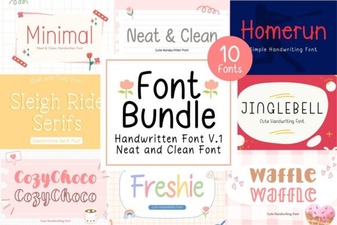 Neat Handwritten Font Bundle for Creative Projects
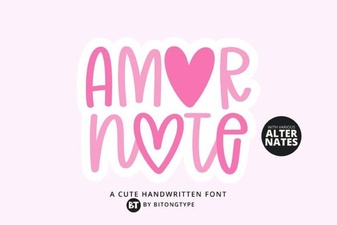 Amor Note Font for Handwritten Design Projects
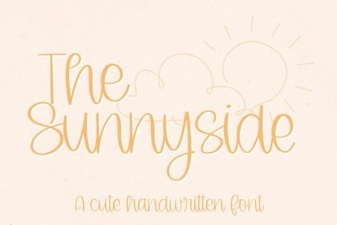 Design Ideas Using the Sunnyside Font
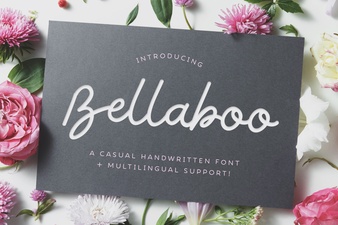 Bellaboo Font for Creative Projects & Designs
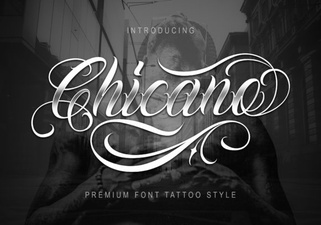 Modern Typography for Chicano Art Projects
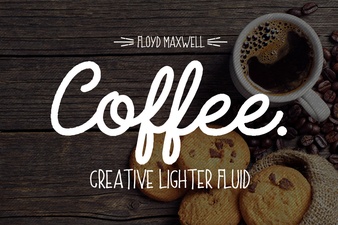 Coffee Font for Creative Projects